
Last verified on Shopify admin interface: 18 May 2026
If you searched for "how to cancel Shopify subscription," you are likely trying to:
To cancel a Shopify subscription, go to Shopify Admin → Settings → Plan → Cancel plan, confirm your password, and review any active app subscriptions to avoid extra charges.
The confusing part is that Shopify has multiple types of subscriptions and canceling the wrong one can still leave you being charged.
This guide explains exactly what to cancel, how to cancel it, and how to avoid surprise charges - in simple, clear steps and is based on real Shopify admin walkthroughs and updated for Shopify's 2026 billing interface.
If you want to close your Shopify store:
If you also pay for Shopify apps, you’ll need to cancel those separately — covered below.
When people say "cancel Shopify subscription", they usually mean one of these - jump to the right section:
Each one has different steps - this page covers them all.
Go to Settings → Plan → Cancel trial, then confirm
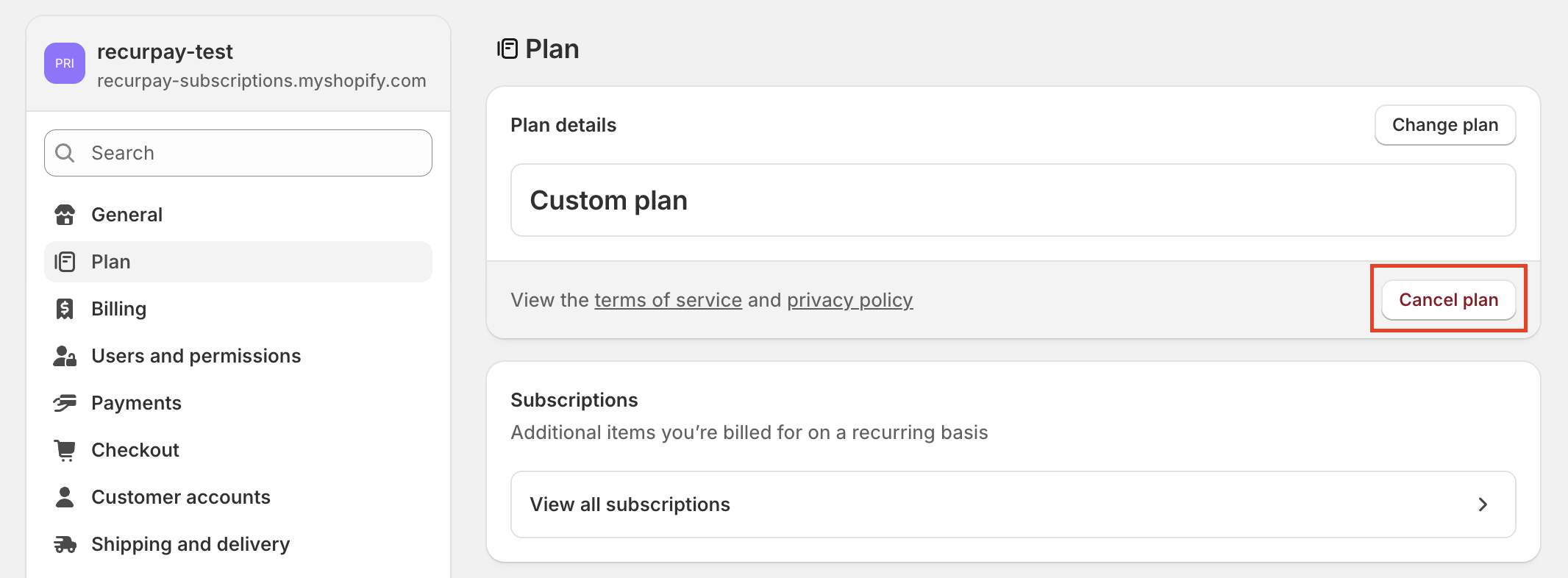
Go to Settings → Plan → Cancel plan
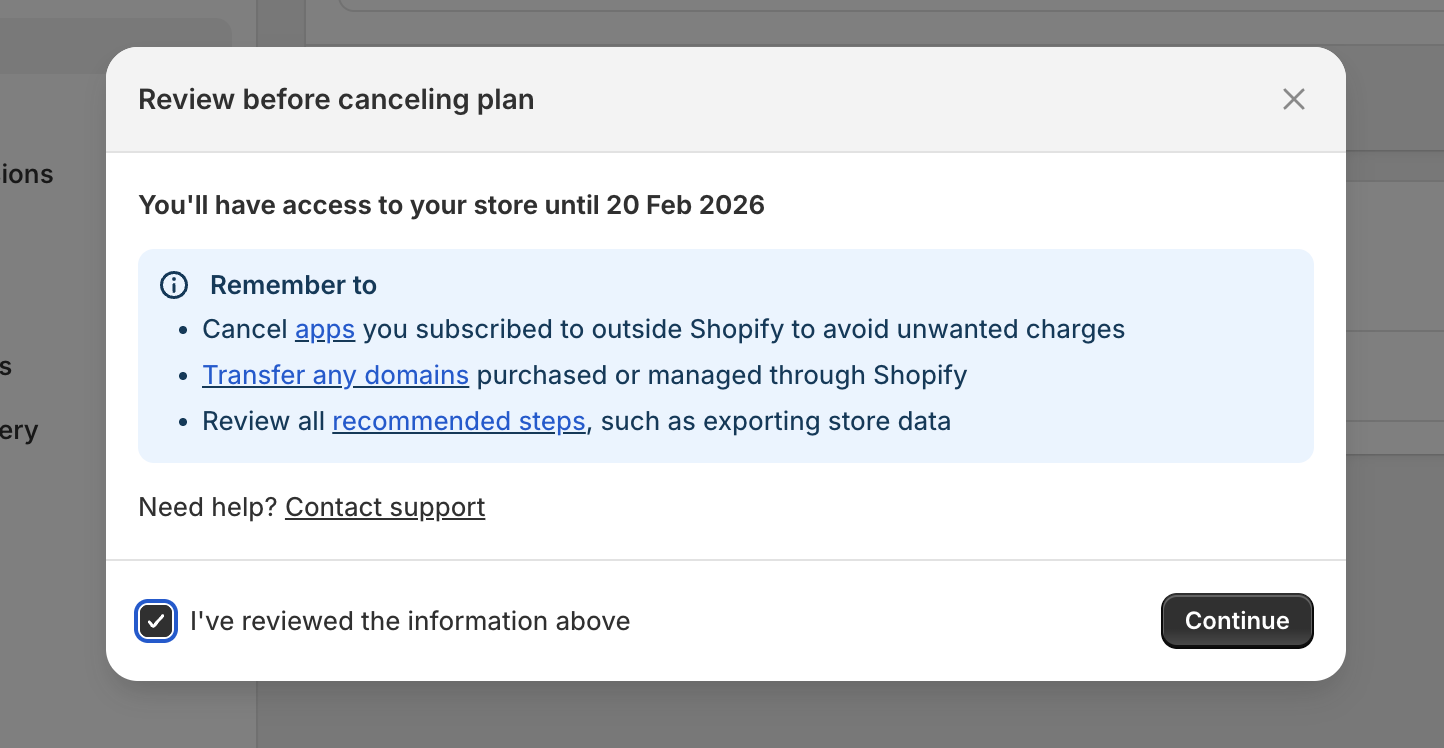
Review the terms and click on Continue
Select a reason for cancelling the plan.

Confirm plan cancellation by entering the password and click on "Cancel plan"

Some stores can pause rather than fully closing.
Pausing is helpful if:
If eligible, you will see this option in Settings → Plan. According to Shopify Help Center, here is a detailed guide for pausing your store.
To avoid losing anything important:
This is the most common reason people think Shopify is still charging them.
Canceling your store plan does not automatically cancel paid apps.
If you want to keep customer history or subscription data:
If you are a merchant, you might mean: "How do I cancel subscriptions my customers signed up for?"
Where you cancel depends on the subscription tool you use.
Manage customer subscriptions inside the Shopify Subscriptions app.
Cancel customer subscriptions inside that app's dashboard.
Customers don't cancel because subscriptions are bad, they cancel because they feel stuck or frustrated. Common reasons:
Often, improving flexibility works better than removing subscriptions completely.
Possible reasons:
What to do:
Go to Settings → Billing and review:
Only the store owner can cancel Shopify plans. You will have to ask them to complete the cancellation.
This usually means:
Clear pending charges and try again.
Uninstalling usually stops billing - but always confirm in Settings → Billing → App subscriptions. If it still appears:
After cancellation:
If you’re canceling only because Shopify feels expensive, consider:
Many merchants cancel subscriptions because:
In most cases, the problem isn't subscriptions - it's the experience.
If you’re reviewing tools, this comparison helps:
Most merchants don't cancel Shopify because Shopify is bad. They cancel because costs rise, churn grows, or tools feel hard to manage.
If you are canceling because subscriptions became stressful, it's often better to fix the experience than to give up recurring revenue entirely.
%20(1).png)
.png)
You can cancel your Shopify plan from your Shopify Admin → Settings → Plan. Only the store owner can cancel, and Shopify will ask for confirmation before closing the store.
Once canceled, your store goes offline, but Shopify may retain your data temporarily in case you want to reopen.
This usually happens if an app subscription is still active, a billing cycle already renewed, or there are pending invoices.
Check Settings → Billing to confirm whether charges are coming from Shopify itself or from third-party apps.
Shopify apps are billed separately from your store plan. To stop charges, cancel the subscription inside the app (if required), uninstall it, and confirm in Billing → App Subscriptions that no active charges remain.
Yes, some stores can pause instead of fully canceling. In your Shopify Admin, go to Settings → Plan and look for a pause option (it may appear as a "pause" or "pause and build" style choice depending on your plan). If you don’t see it, your store may not be eligible on the current plan.
If you’re stuck or unable to cancel your Shopify subscription, you can contact Shopify Support through the Shopify Help Center. Go to https://help.shopify.com, sign in to your account, and start a live chat or support request.
Shopify Support can help with billing issues, cancellations, and account access problems.
