
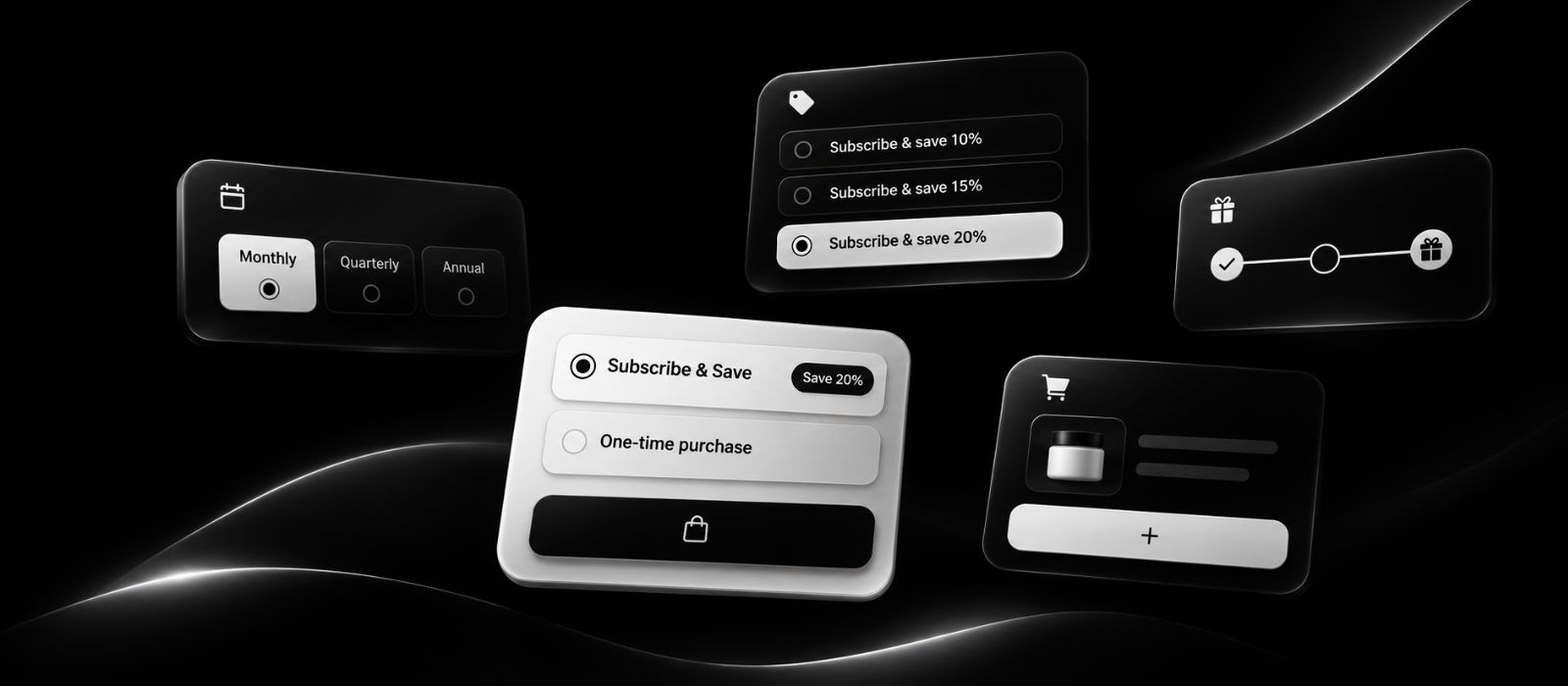
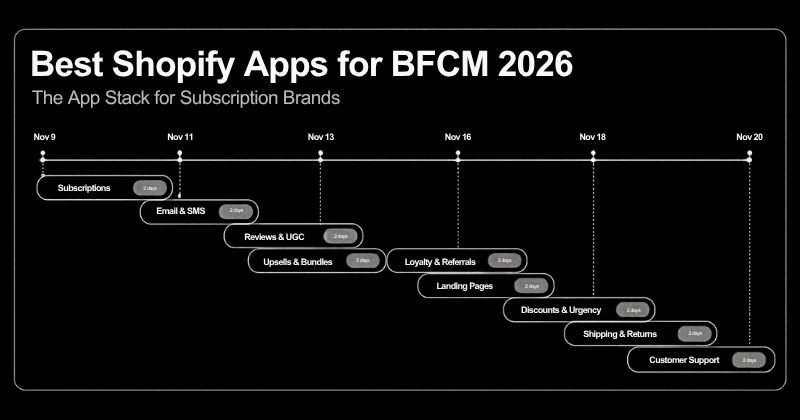
Quick answer: which widget should you use?
Looking for the best Shopify subscription widget for Black Friday and Cyber Monday 2026? Black Friday falls on November 27 and Cyber Monday on November 30, so getting your product pages ready before the BFCM rush is essential. Your subscription widget, the box where shoppers choose between a one-time purchase and a subscription, plays an important role in turning first-time BFCM buyers into recurring customers.
This guide walks you through six Shopify subscription widget styles: classic subscribe and save, card-style plan selector, tiered discount, build-your-own box, free gift unlock and cart upsell. You'll learn which widget works best for your products, how to match it to your Black Friday offers and how to prepare your Shopify store before BFCM 2026.
With Recurpay, Shopify merchants can create and customize subscription widgets using its AI Widget Designer. Upload a reference image, generate a custom widget layout and adjust the design to match your store's branding and subscription offers. From subscribe and save discounts to tiered rewards, subscription boxes and cart upsells, Recurpay helps you build subscription shopping experiences without starting from scratch. Aim to finish building by November 18, test your widget on mobile and freeze major changes until after Cyber Monday.
Short on time? If you only have 30 minutes today, pick the row above that matches your products, generate it with the AI widget designer, and check it on your phone. You can refine the wording later in the week.
Why Your Subscription Widget Matters During BFCM 2026
BFCM shoppers decide fast, and your product page is where a one-time buyer either becomes a subscriber or leaves. The numbers show how much is at stake:
- Shopify merchants sold a record $14.6 billion over BFCM 2025, up 27% on 2024, with 81+ million customers buying, an average cart of $114.70 and sales peaking at $5.1 million per minute on Black Friday, according to Shopify’s results as published by Barchart.
- Adobe data shows US shoppers spent $44.2 billion online across Cyber Week 2025, up 7.7%, with Black Friday alone reaching $11.8 billion, per Total Retail.
A lot of that spend comes from people buying from a brand for the first time. That is great if they stay and expensive if they leave after one box. If you want the full prep plan beyond the widget, use our BFCM checklist for subscription brands.
What Is a Shopify Subscription Widget?
A Shopify subscription widget is the selector on a product page that lets a customer choose a purchase option, such as one-time or subscribe and save, plus a delivery frequency. Whatever style you pick, a widget has to pass three checks at a glance:
- Clarity: can the shopper see the savings and the delivery schedule straight away?
- Motivation: does it give a reason to subscribe now, like a discount, a gift or a perk?
- Trust: does it make skipping and cancelling obvious, so subscribing feels safe?
New to recurring billing? Start with our guide to the best Shopify subscription app for ecommerce beginners, then see how to set up subscribe and save on Shopify.
Your BFCM 2026 Subscription Widget Plan (Nov 3 to Dec 1)
Recurpay’s AI Widget Generator: Build Any Widget Style in Minutes
Recurpay is a Shopify subscription app used by more than 7,500 brands, built so merchants can launch quickly and scale with confidence. Its AI widget generator (called the AI Widget Designer in the dashboard) lets you create a custom subscription widget without design or development work. You give the AI an image of a widget you like, and it generates working code that matches the layout, style and structure as closely as it can.
What makes it useful for BFCM:
- Speed: generate a widget in seconds instead of briefing a developer.
- Any style: recreate classic, card, tiered, box or gift layouts from a reference image.
- Full control: AI results may not be a perfect 1:1 match, so you preview the widget, edit the code in the dashboard, then publish.
- Brand match: adjust colors, button styles and text, including translations, from the widget design settings.
- Proven by partners: Recurpay’s partner page reports 125+ widget designs generated by AI.
How to build a widget with the AI generator:
- Open your Recurpay dashboard and go to Settings > General.
- Scroll to the Widget Design section and choose a base layout.
- Click Build with AI, then Start Your Own Design.
- Upload an image of the style you want, such as a tiered or card layout.
- Preview the result, edit the code if needed, and publish.
- Make sure the widget is switched on by following how to enable the Recurpay widget. Full steps are in the AI widget designer guide.
BFCM Special: 0% transaction fee on Launch $9/month, Grow $19/month, Scale $99/month. New merchants only, valid until 30 Dec 2026. See Recurpay plans and pricing
The AI widget builder, Build a box, Recurpay Bots and upsells are on Grow and above. The box code editor is on Scale.
Want proof? See how Zabon grew subscription revenue 116x with Recurpay. Comparing apps? Read Recurpay vs Recharge.
1. Classic “Subscribe and Save” Widget
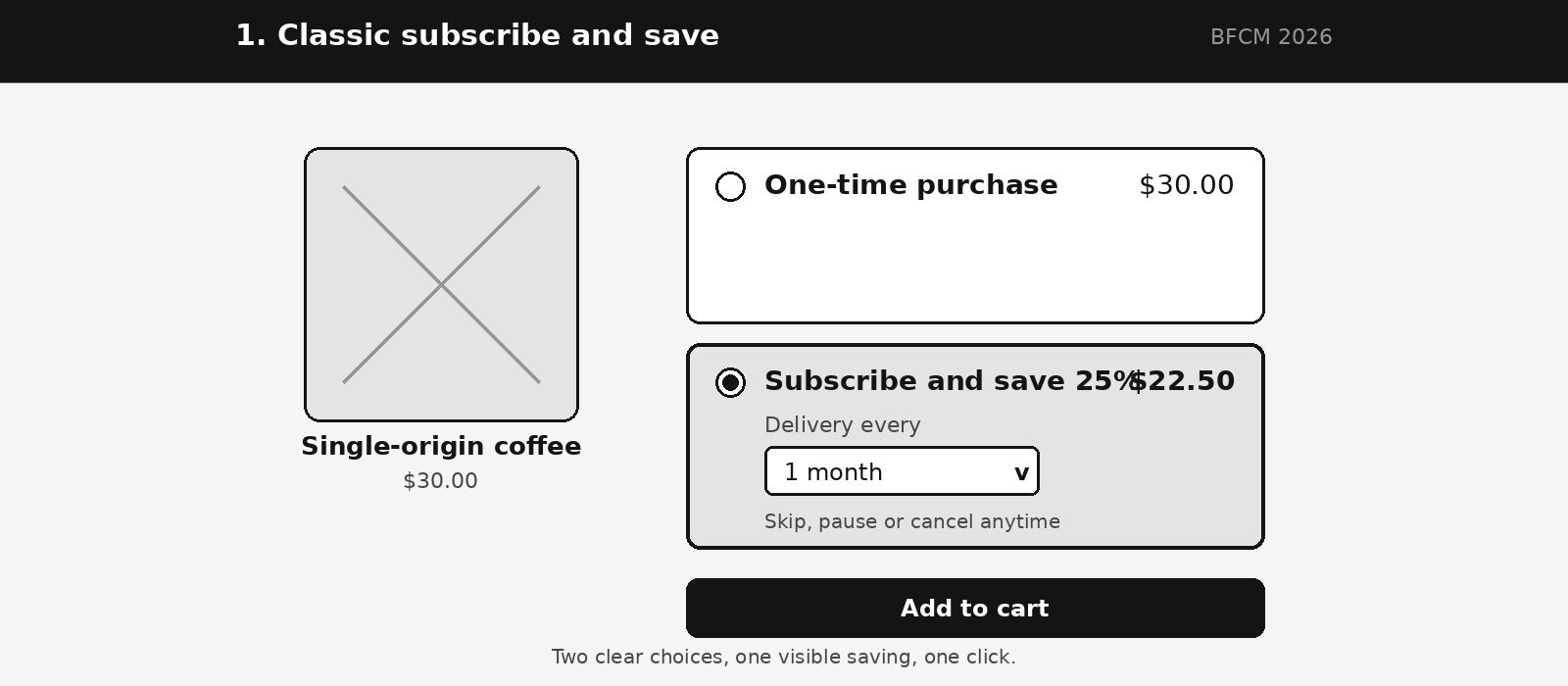
A classic subscribe and save widget lets shoppers choose between a one-time purchase and a discounted subscription on the product page. It shows both options under the product title, with a frequency dropdown. It is the layout shoppers already know, so it adds almost no friction when they are rushing through BFCM deals. Example: a coffee brand shows “Subscribe and save 25% on your first order” with monthly delivery as the default.
What it does: presents a one-time price and a subscription price side by side, with a frequency selector. Here’s how to add subscribe and save to your Shopify store.
Best for: single-product, consumable stores such as coffee, pet food, vitamins and skincare. See our guide to the best Shopify subscription app for coffee brands.
Watch out: it has little room for extra offers, so it can feel plain next to a competitor’s richer page. If your whole store is on sale, make sure the subscription price still looks like the better deal.
Proof point: in US streaming, Black Friday week lifted premium video sign-ups 2.8 times above the 2025 daily average, according to Antenna data reported by The Desk. It is a different category, but it shows how strongly a clear, time-boxed offer converts on Black Friday.
What you can do with the classic widget in Recurpay:
- Show the saving as a clear price, not just a percentage
- Set a default frequency that suits your product
- Let customers skip, pause or cancel from a self-serve portal
- Restyle it in minutes without a developer
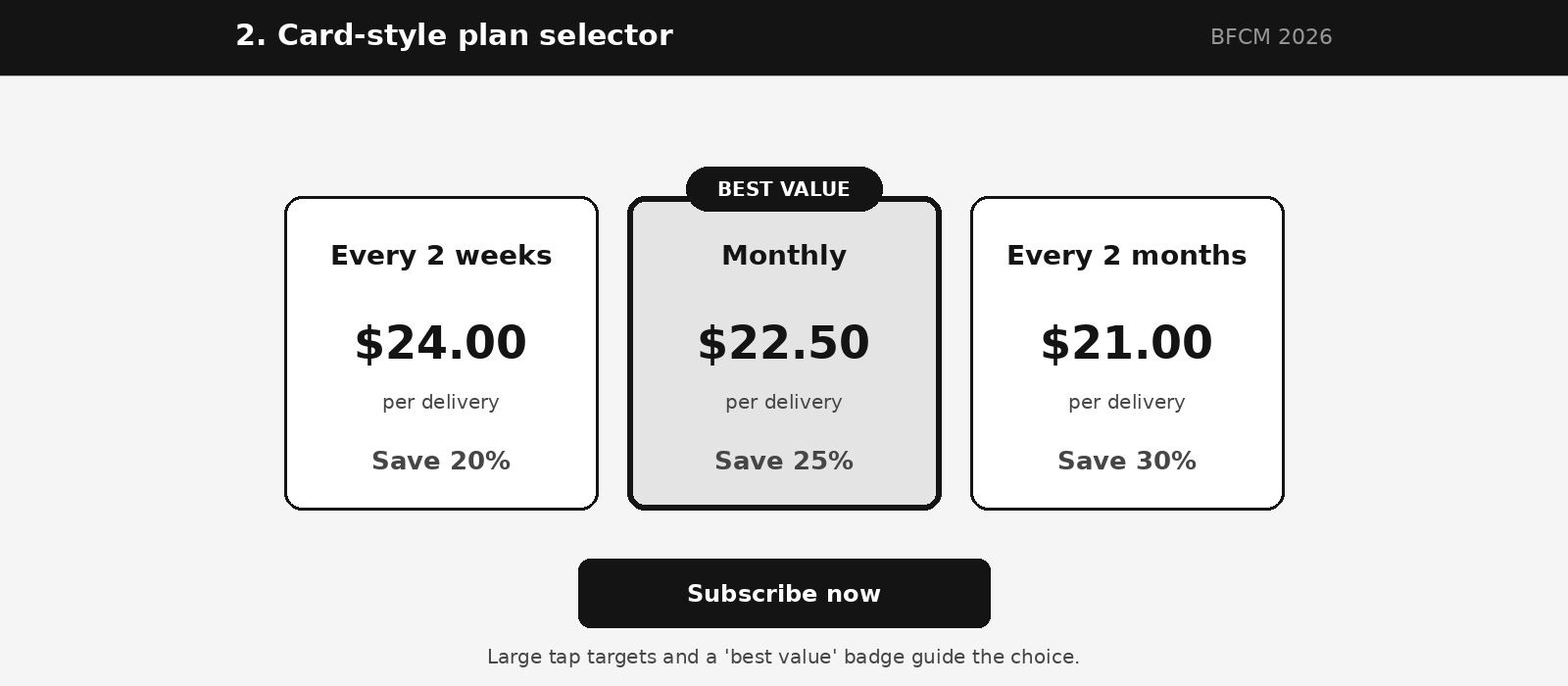
2. Card-Style Plan Selector Widget
A card-style plan selector shows each subscription frequency as its own card, with its price and saving. Instead of radio buttons, shoppers see every 2 weeks, monthly and every 2 months side by side. A “best value” badge pulls the eye to the plan you want most shoppers to pick. Example: highlight the monthly plan with a bold saving amount.
What it does: turns frequency choice into a visual comparison, with large tap targets.
Best for: products used at different speeds, like pet food, supplements and razors. Our guide to types of subscription models helps you decide which plans to offer.
Why it can beat the classic style: shoppers anchor on the badged plan, so you nudge them toward a plan, not just toward subscribing.
Proof point: mobile devices accounted for 78% of global online traffic and 70% of orders during Cyber Week 2025, based on Salesforce data reported by Chain Store Age. Big cards are easier to tap than a small dropdown.
What you can do with the card widget in Recurpay:
- Offer several frequencies with their own prices
- Edit plan names and button text, including translations, in the widget design and translations settings
- Generate the layout from a reference image with the AI designer
- Preview it on mobile before you publish
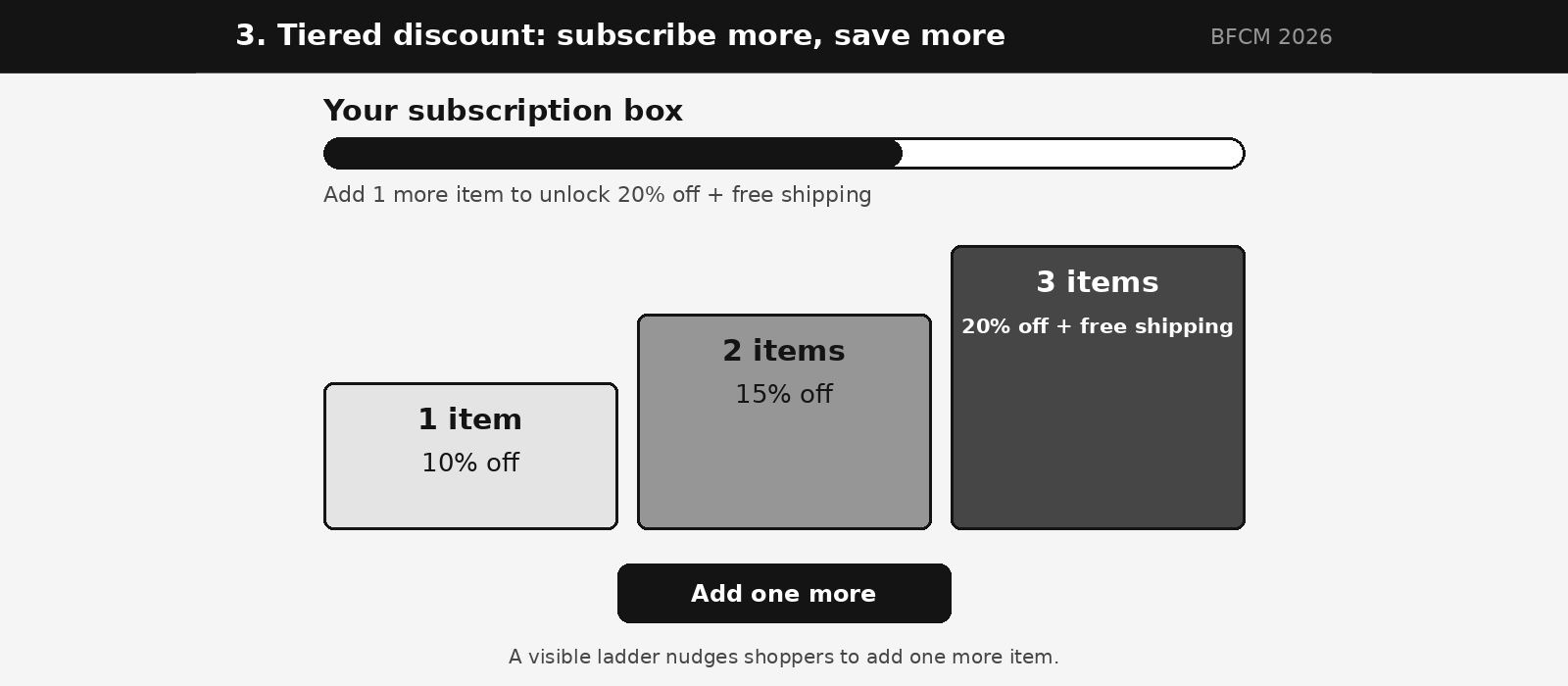
3. Tiered Discount Widget (Subscribe More, Save More)
A tiered discount widget gives bigger subscription discounts as shoppers add more items. It shows a ladder of rewards, so the more items in the subscription, the bigger the discount or perk. It raises basket size while locking in recurring revenue. Example: one item gets 10% off, two get 15%, three get 20% plus free shipping.
What it does: shows the next reward and how close the shopper is to it, so adding one more item feels easy.
Best for: stores with multiple SKUs or multipacks, such as supplements, snacks and haircare.
Why it can beat the classic style: BFCM carts averaged $114.70 on Shopify, and a visible ladder encourages bigger baskets without a sitewide price cut.
Proof point: Klaviyo data shows discounts dropped 10% year over year across ecommerce globally during BFCM 2025 while demand stayed strong, as reported by Modern Retail UK. Smart tiers beat blunt cuts.
What you can do with the tiered widget in Recurpay:
- Set discounts that step up with the number of items
- Add free shipping or a gift at the top tier
- Use Recurpay Bots for tiered discounting to change a discount on or after a specific renewal
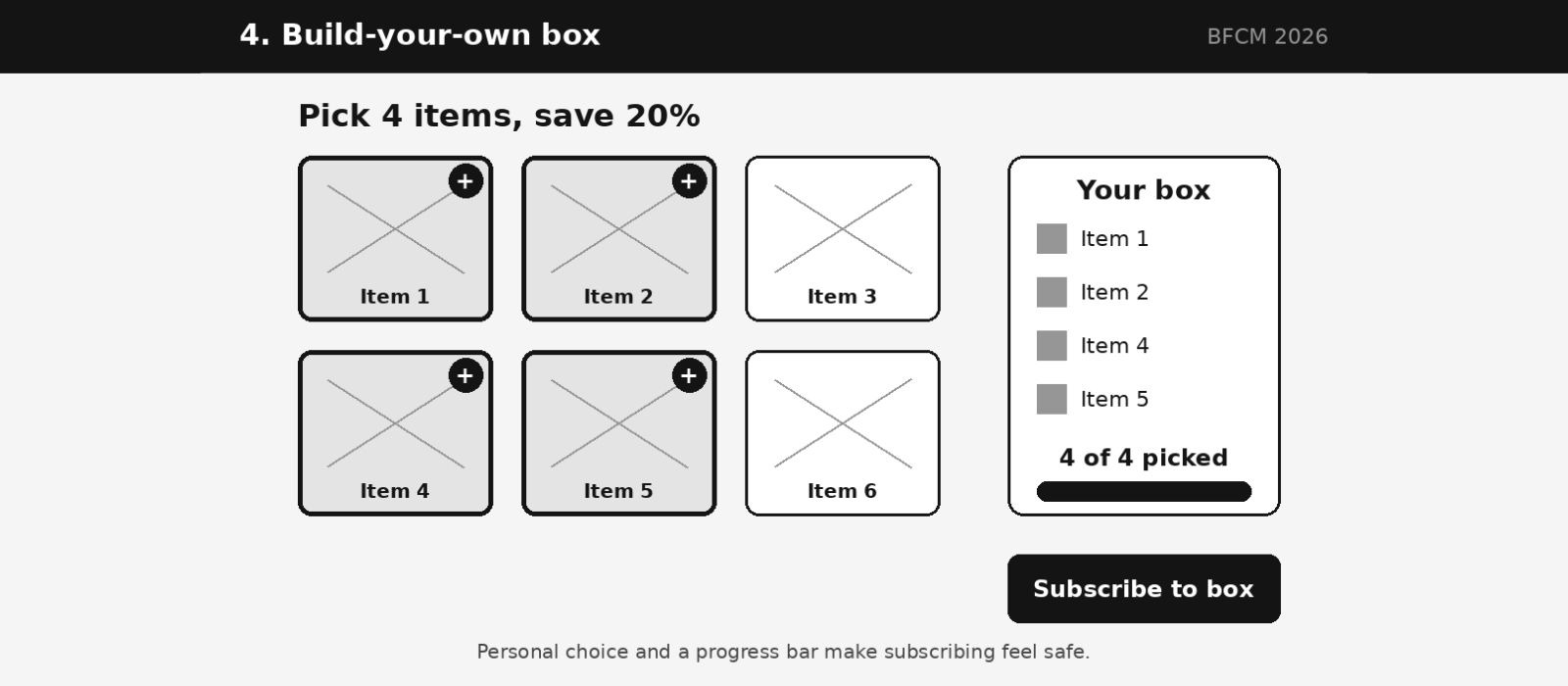
4. Build-Your-Own Box Widget
A build-your-own box widget lets shoppers pick the items in their box and then subscribe to get it on repeat. Shoppers feel ownership over what they build, which makes subscribing feel less risky. Example: “Build a box of 4 and save 20%,” with a progress bar showing how close they are.
What it does: guides shoppers through choosing items, then turns the finished box into a subscription. Here’s how to set up a Shopify subscription box with recurring payments.
Best for: variety-led categories like snacks, tea, beauty minis, pet treats and sample sets. See the best Shopify subscription apps for subscription boxes.
Watch out: it takes more steps than a classic widget, so keep the flow short and test on a phone.
Proof point: McKinsey research found personalization most often drives a 10–15% revenue lift, as covered by Business Chief. Letting shoppers build their own box is personalization they control.
What you can do with the box widget in Recurpay:
- Offer a build-your-own-box experience (Grow plan and above)
- Customize the box code with the code editor (Scale plan)
- Show a progress bar toward the box discount
- Mix one-time products and a subscription in a single checkout
- Edit box text and translations from the widget settings
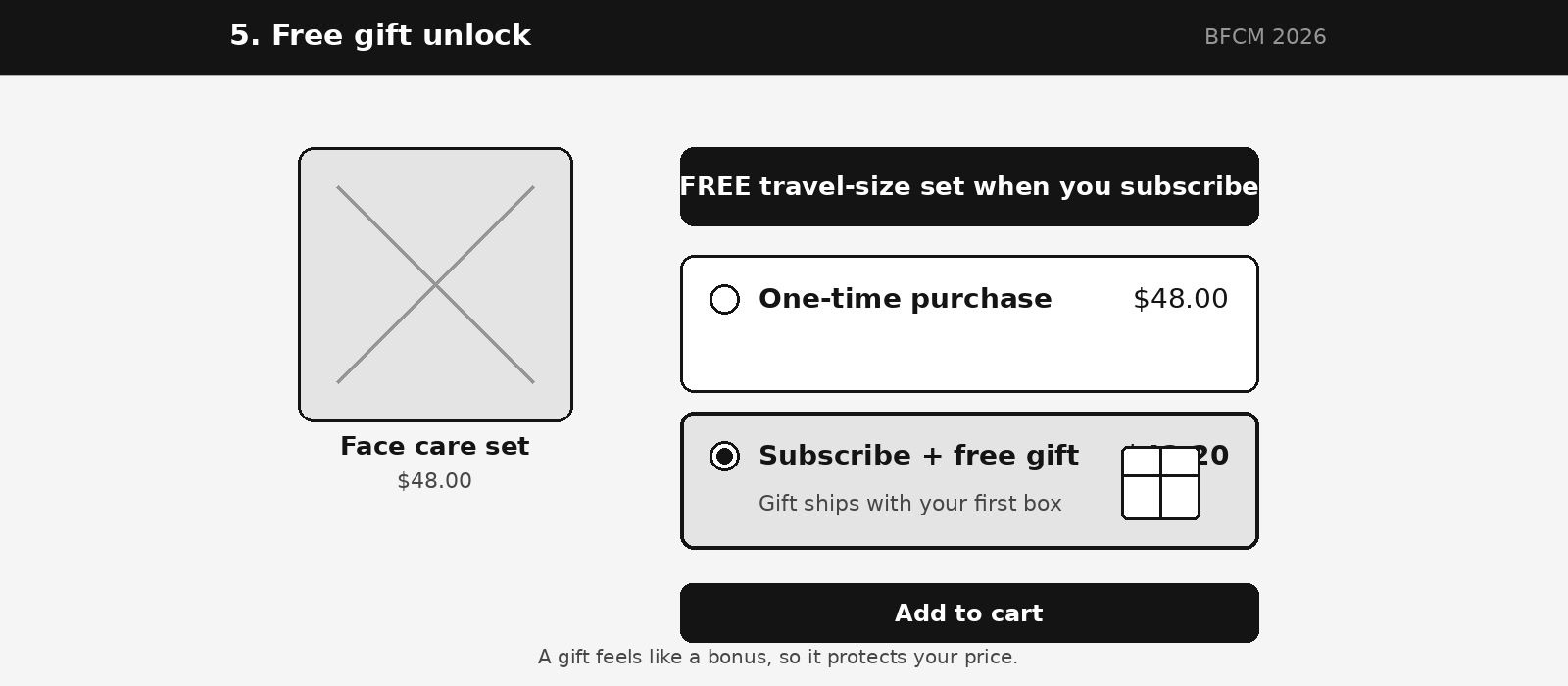
5. Free Gift Unlock Widget
A free gift unlock widget offers shoppers a free product, sample or accessory when they subscribe. A gift feels like a bonus, not a discount, so it protects your price while still motivating action. Example: “Subscribe to your first box and get a free travel-size set.”
What it does: attaches an extra to the subscription choice so the value is clear at a glance.
Best for: first-time visitors who are unsure about committing, and brands with low-cost, high-perceived-value extras.
Proof point: Klaviyo data shows brands with the smallest discounts saw the strongest BFCM 2025 growth, up 14% year over year, while revenue from returning buyers grew 13.5% against 9% from new buyers, as reported by Power Retail. Value-adds can work without deep cuts.
What you can do with the gift widget in Recurpay:
- Add a free gift on a specific order, such as order two or three
- Offer prepaid plans that double as gift subscriptions (see why gift subscriptions go beyond one holiday)
- Publish a clear last-order date for holiday delivery
- Keep gifts and discounts in one tidy offer
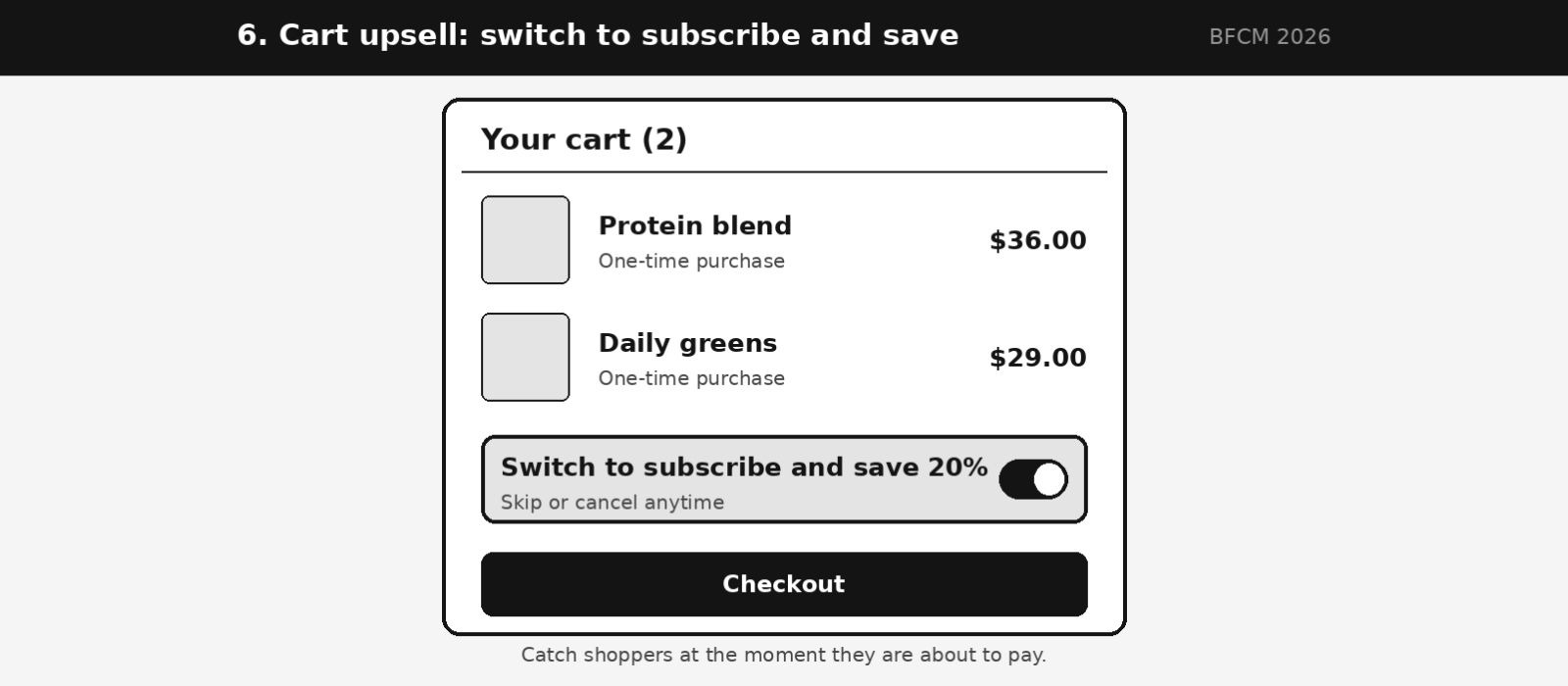
6. Cart Upsell Widget
A cart upsell widget offers to switch one-time items to a subscription inside the cart or cart drawer. It catches shoppers who skipped the product-page widget, at the moment they are about to pay. Example: “Switch to subscribe and save 20% on this order,” with a one-click toggle.
What it does: offers a subscription at the last step, without sending the shopper back to the product page.
Best for: stores where many shoppers arrive from ads, email or SMS and add to cart quickly.
Watch out: keep the message short so you don’t slow the path to checkout.
Proof point: Baymard Institute puts the average documented cart abandonment rate at 70.22%, based on 50 studies, so the cart is where a lot of buying decisions are won or lost. In Recurpay’s own results, Zenergy USA now gets 24% of its subscription revenue from cart-level upsells.
What you can do with the cart upsell in Recurpay (Grow plan and above):
- Add a cart upsell that offers a subscription before checkout
- Offer a one-click switch to subscribe and save
- Add account upsells so subscribers can add products from their portal
- Pair it with a product-page widget for two chances to convert
Subscription Widget Examples: Which Is Better for BFCM?
There is no universal winner. The better widget is the one that fits your product and your offer:
Test two styles against each other instead of guessing.
How to Choose the Right Widget for Black Friday 2026
More options do not mean more sales. Use this checklist before you build:
- Start with the offer, not the design. A first-order discount, a free gift and a “subscribe more, save more” ladder each need a different layout.
- Protect the subscription price. If your whole store is on sale, make sure subscribing still looks like the better deal.
- Test on mobile first. Most BFCM orders happen on phones, so large tap targets and short labels matter.
- Make cancelling obvious. Show skip, pause and cancel clearly. It builds trust, and our guide on how customers manage their Shopify subscriptions shows what a good portal looks like.
- Check app fit. Compare features and pricing in our roundup of the top Shopify subscription apps before you commit.
- Freeze changes after November 18. Last-minute edits are the most common cause of broken product pages.
BFCM 2026 Subscription Widget Checklist
- ☐ One main widget style chosen, one backup ready to test
- ☐ Offer written in plain words (saving, gift, frequency)
- ☐ Widget switched on for every subscription product
- ☐ Colors, button text and translations match your brand (see how to change widget and button colors)
- ☐ Tested on a phone, in your theme, with a real subscription order
- ☐ Landing pages and page builders show the widget (see how to integrate Recurpay with your page builder)
- ☐ Widget offer matches your ads, email and SMS copy
- ☐ Support answers updated for the subscription offer
- ☐ Changes frozen after November 18
After BFCM: Your work isn’t finished on Cyber Monday. Once the sale ends, focus on how to turn BFCM buyers into long-term customers. Track MRR, churn and lifetime value using these subscription metrics, plan for the order-two moment with our guide to reducing subscription churn, and tighten failed-payment recovery with dunning management on Shopify.
Frequently Asked Questions
What is a subscription widget on Shopify?
A subscription widget is the selector on a product page where customers choose a one-time purchase or a subscription, plus a delivery frequency. The most common type is a subscribe and save widget, which shows the subscription discount next to the one-time price. Its design affects clarity, motivation and trust, so it directly influences how many shoppers subscribe.
Which subscription widget style converts best for Black Friday?
It depends on your products and offer. Looking at the subscription widget examples in this guide: classic subscribe and save widgets suit single consumables, card-style selectors suit products used at different speeds, tiered widgets raise order size, box builders suit variety products, and free gift widgets help hesitant first-time buyers. A/B test two styles before the sale rather than assuming one will win.
What is Recurpay’s AI widget generator?
It is a tool in the Recurpay dashboard that creates a custom subscription widget from a design image. The AI generates the layout and code, and you can preview, edit and publish the result. It is available on the Grow plan and above.
Do I need a developer to build a subscription widget?
No. You can generate a widget without design or coding work. If you want to fine-tune details, Recurpay gives you access to the widget code in the dashboard.
Can I switch subscription apps right before Black Friday?
It is possible, but plan carefully because migrations move customers, payment methods and billing dates. Read how to migrate Shopify subscriptions without losing data or talk to Recurpay’s migration team about what is realistic before the sale.
How do I stop BFCM subscribers cancelling after one box?
Give them a reason to stay past order two, such as a free gift on a later order, and make pause and skip easy to find. See how to reduce subscription cancellations for more ideas.
Final Thoughts: Pick Your Widget and Build It This Week
A subscription widget is one of the cheapest BFCM upgrades you can make, and you can do it in an afternoon. Choose the style that fits your product and your offer, build it with Recurpay’s AI widget generator, test it on your phone and go live before November 18. Here is your quick recap:
BFCM Special: 0% transaction fee on Launch $9/month, Grow $19/month, Scale $99/month. New merchants only, valid until 30 Dec 2026. See Recurpay plans and pricing
Want more guides like this? Browse the Recurpay blog for subscription growth tips.
About the Author
Sweta Mohanty is the Co-founder of Recurpay, a Shopify subscription app that helps D2C brands launch and grow recurring revenue with a no-code widget, a flexible customer portal and smart dunning. She writes about Shopify subscriptions, retention and ecommerce growth for merchants and app developers.