
.jpg)

Shopify recurring payments | Updated August 2026 | Recurpay Editorial Team
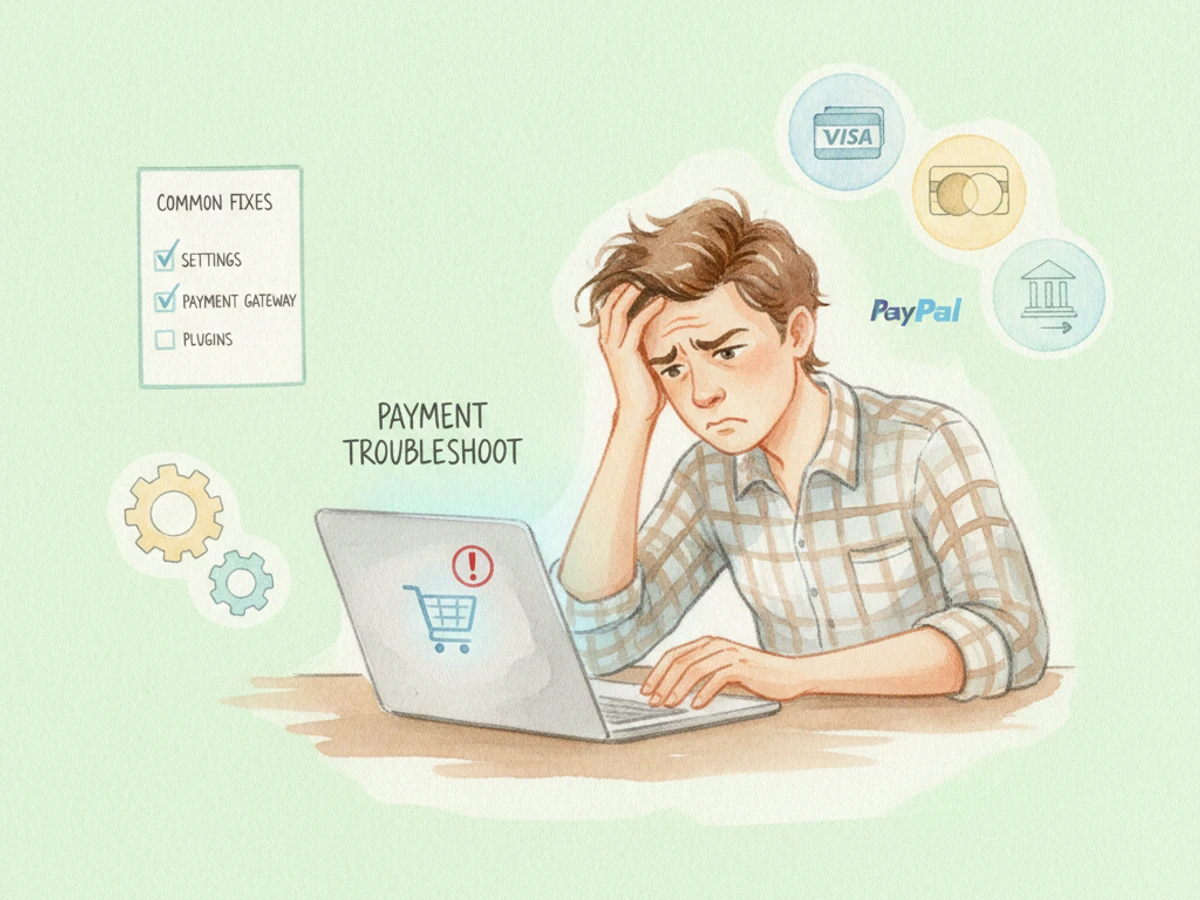
If your Shopify recurring payments are failing, the root cause falls into one of three categories: an unsupported payment gateway, a card-level or customer billing issue, or an app-level miscommunication between your subscription tool and Shopify's API. This guide walks you through each layer so you can diagnose the exact failure point and restore billing without losing subscribers.
Failed subscription payments are expected to cost businesses $129 billion in lost revenue in 2025 due to involuntary churn alone. For U.S. DTC brands and subscription-box sellers running on Shopify, that number translates directly to subscriber cancellations and lost lifetime value.
"A sudden spike in your failed payment rate signals a systemic issue at the gateway, app, or card-network level. Treat it as an operational alert, not a one-off nuisance."
Gateway-Level Failures: Why Your Payment Processor Is Blocking Recurring Charges
Gateway-level failures are the most common source of broken Shopify recurring payments. Not every gateway supports recurring billing, and if yours doesn't, those products will fail at checkout regardless of how everything else is configured.
Supported vs. Unsupported Gateways for Shopify Subscriptions
- Shopify Payments: The default processor, fully optimized for subscriptions and integrated into the Shopify ecosystem.
- Stripe: Supports recurring billing and tokenization.
- PayPal Express: Supported, but requires "Reference Transactions" manually enabled via PayPal support before renewals will process.
- Unsupported Local Payment Methods: Klarna, Sofort, and others cannot process subscriptions.
- Restricted Gateways: Flow, Razorpay, and Gokwik are blocked by Shopify for subscription payments.
The PayPal Reference Transactions Trap
PayPal requires a specific permission called "Reference Transactions" to charge a customer without them being present. Most standard PayPal Business accounts have this turned off by default. Initial orders will go through fine—but every single renewal will fail silently. You must contact PayPal Customer Support and apply for approval before going live.
| Gateway | Recurring Billing Support | Special Requirement | Best For |
|---|---|---|---|
| Shopify Payments | Full | None | All U.S. subscription merchants |
| Stripe | Full | Availability varies by account | Merchants needing Stripe-specific features |
| PayPal Express | Conditional | Reference Transactions must be enabled | Stores with high PayPal usage |
| Apple Pay | Limited | Visa and Mastercard only | Mobile-first stores with eligible cards |
| Flow / Razorpay / Gokwik | None | Not supported by Shopify API | N/A — switch gateway |
Key Takeaway: Confirm your gateway is on Shopify's supported list before troubleshooting anything else. Once confirmed, the next place to look is the customer's card itself. For deeper context, see Recurring Payments: Definition, Types, and Benefits. For related guidance, see Best Recharge Alternative For Indian Shopify Stores Razorpay And Upi Support.
Card-Level and Customer Billing Errors: The Most Common Failure Category
In subscription-based businesses, payments fail for predictable reasons: expired cards, insufficient funds, card declines, outdated billing information, or temporary processing hiccups. These failures fall into two categories—soft and hard declines—and each requires a different response.
Soft Declines vs. Hard Declines
- Soft Declines: Temporary failures (insufficient funds at that moment, brief bank holds, network hiccups). Recoverable if retried at the right interval.
- Hard Declines: Permanent failures (stolen cards, closed accounts, expired cards flagged by issuer). No amount of retrying will recover these; you need new payment information.
- Expired card: The most common reason for failure. Send an immediate payment-update email with a direct link to the customer's card update page.
- Insufficient funds: Insufficient funds account for 44% of all declines—the single largest failure category. Retry logic timed around paydays recovers many of these.
- Revoked via accelerated checkout: Customers using PayPal or Shop Pay can "revoke" their cards within these platforms, effectively canceling their subscriptions. Encourage subscribers to set a standard card as their payment method.
- Fraud filter blocks: Advanced fraud detection might block transactions deemed risky. Log into your payment provider's dashboard and review flagged transactions; you may need to adjust fraud rules.
- Shop Pay sync failure: When customers update payment information through Shop Pay, changes sometimes don't propagate to subscription apps, causing recurring billing failures.
"According to a 2025 PYMNTS Intelligence report, 82% of online retailers reported difficulty identifying the causes of failed payments." Visibility into decline codes is the first step to recovery.
Key Takeaway: Check the decline code in your Shopify admin or subscription app dashboard before contacting the customer. Soft declines warrant a timed retry; hard declines require new payment information. For deeper context, see Subscription recurring billing attempt Errors show different ....
App-Level and Webhook Errors: When the Subscription App Is the Problem
When a customer subscribes, the subscription app manages the contract and sends billing attempts to Shopify—Shopify handles all payment processing for both initial charges and renewals. When the handoff between the app and Shopify breaks, renewals fail silently.
Common App-Level Failure Scenarios
- Webhook failure on cancellation: If a cancellation event isn't received by Shopify, the subscription continues to bill, causing chargebacks and trust damage.
- Inventory-triggered billing failure: When a product is unavailable at fulfillment, billing fails. Assign the product to at least one enabled inventory location to resolve this.
- Theme or app conflict: Third-party apps or themes can interfere with checkout. Temporarily disable third-party apps and test payment gateway again.
- Subscription app not reinstalled after theme update: Any store change can break checkout. Process a test transaction after every change.
- Discount code misconfiguration: Confirm whether discounts apply to the first order only or to all recurring orders. A one-time-use discount will throw an error on renewal.
| Error Type | Failure Layer | Symptom | Immediate Fix |
|---|---|---|---|
| Webhook failure | App → Shopify API | Cancelled subscribers still billed | Force-sync webhook; re-verify cancellation status |
| Inventory unavailable | Shopify fulfilment | Billing attempt rejected | Restock or reassign inventory location |
| App-theme conflict | Storefront layer | Widget missing; checkout errors | Reinstall app blocks in theme editor |
| Discount code error | Order generation | Renewal order fails at creation | Set discount to apply to all orders or remove from recurring |
| API credential expiry | Gateway ↔ app | All renewals fail simultaneously | Rotate API keys and re-authenticate the subscription app |
Key Takeaway: Test your full subscriber journey monthly. Monitor your failed payment rate because a sudden spike signals a systemic issue such as a gateway problem or card updater not working. For deeper context, see Troubleshoot webhooks.
Dunning Management: How to Recover Failed Payments Before They Become Churn
Dunning management is the automated process of recovering failed subscription payments through intelligent payment retries and customer-facing notifications. A structured dunning workflow can recover 20–40% of failed subscription payments that would otherwise become churn.
How a Dunning Sequence Works
Dunning follows a structured sequence triggered when a payment fails. A typical setup includes:
- Retry Attempts: 3 to 5 times.
- Retry Spacing: 3 to 7 days apart.
- Smart Retry Logic: Timing based on the decline reason.
- Retry timing strategy: Cluster the first 2–3 retries within days of the original failure to catch network errors, then space remaining attempts across the billing cycle.
- Skip hard declines automatically: Don't waste retry attempts on expired or compromised cards. Route those customers to a payment-update flow immediately.
- Multi-channel notification: Send SMS or push notifications in addition to email for high-value subscribers—multi-channel reminders significantly improve payment update rates.
- Pre-dunning emails: Send emails before the renewal date with links allowing subscribers to update payment information, eliminating card-expiry failures.
- Card updater services: Gateways like Stripe offer automatic card update services—they detect reissued cards and update the token automatically before the next billing cycle.
A well-optimized dunning system can recover 70–85% of failed payments, compared to 40–50% with basic retry logic. For a business with 1,000 subscribers at $50/month and a 5% failure rate, that gap can represent tens of thousands of dollars per year.
Shopify's native dunning retries failed charges on a fixed schedule with auto-generated emails and no machine learning or decline-specific optimization. For growing DTC brands, this baseline rarely suffices. Recurpay—starting at $9/month with a 5/5 rating—addresses this gap directly. It tackles both involuntary and voluntary churn. For involuntary churn, its dunning management system recovers failed payments through email, SMS, and WhatsApp. For voluntary churn, its self-serve portal lets subscribers skip, pause, swap, and reschedule—converting potential cancellations into adjustments.
Recurpay uses intelligent retry scheduling that aligns with regional banking hours and processor logic. Instead of a single random retry, Recurpay sequences multiple retries over optimized intervals, dramatically increasing recovery chances.
Key Takeaway: Native Shopify dunning is a baseline, not a strategy. A dedicated subscription app with configurable retry logic, branded multi-channel notifications, and self-serve payment update portals will meaningfully reduce involuntary churn. For deeper context, see How to Set Up Dunning Management for Shopify Recurring ....
Join 7,500+ brands using Recurpay
Recurpay is the answer to your customer retention game in the emerging era of subscriptions.
Get StartedProactive Prevention: Building a Billing-Reliable Subscription Stack
Fixing individual billing failures reactively is necessary, but the highest-ROI work happens upstream—reducing failure rates before they accumulate. Always monitor failed payment logs, test transactions weekly, and keep your Shopify payment setup and plugins up to date.
Operational Checklist for Billing Reliability
- Test after every store change: Payment providers send critical emails about expiring credentials and policy changes. Set up a dedicated email filter that flags all messages from your payment providers.
- Stagger billing dates: Stagger billing dates across your subscriber base to avoid processing spikes that could cause gateway timeouts.
- Monitor failed payment rate by segment: Track which subscriber segments have the highest failure rates. International subscribers may fail more often if your gateway doesn't support local payment methods.
- Enable backup payment methods: Encourage subscribers to add a secondary card through the customer portal. If the primary fails, the backup processes immediately.
- Track recovery rate as a KPI: Monitor failed payment recovery rate as a standalone KPI. This tells you exactly how well your dunning setup is working.
Recurpay's design reflects a belief that unlocking subscription revenue should be accessible and hassle-free for all Shopify merchants. The platform automates recurring payments, reduces churn, and grows predictable revenue with seamless integration, easy migration from 25+ competitor platforms, and robust analytics. For merchants frustrated with complex setups, Recurpay provides a fast path to a billing-reliable subscription stack in minutes with no unnecessary complexity or hidden fees.
Key Takeaway: Prevention is a multiplier. A merchant who monitors failure rates weekly, staggers billing dates, and runs pre-dunning campaigns will face far fewer acute billing crises.
Conclusion
Shopify recurring payments fail at the gateway level, the card level, or the app level—and each layer requires a different diagnostic and fix. Merchants who understand all three layers, build smart dunning into their subscription infrastructure, and monitor failure rates proactively will recover the majority of revenue that billing errors would otherwise cost them.
- Gateway compatibility first: Confirm your payment processor is on Shopify's supported list.
- Classify declines before retrying: Soft declines are recoverable with timed retries; hard declines require new payment information.
- Audit app-level connections regularly: Webhook failures, theme conflicts, and inventory errors silently break billing. Monthly end-to-end testing catches these before they compound.
- Invest in smart dunning: A well-optimized dunning system recovers up to 85% of failed payments versus 40–50% with Shopify's native retry logic.
- Prevent more than you recover: Pre-dunning emails, backup payment methods, staggered billing dates, and card updater services reduce failure rates at the source.
For Shopify merchants ready to move from reactive billing fixes to a proactive, automated subscription operation, Recurpay—rated 5/5 and starting at $9/month—offers the intelligent dunning, self-serve portal, and analytics needed to protect recurring revenue at scale.
FAQ
Why are my Shopify recurring payments not working, and what are the common fixes?
Shopify recurring payments fail for three primary reasons: an incompatible or misconfigured payment gateway, a card-level issue such as expiration or insufficient funds, or an app-level problem such as a webhook failure. To fix gateway issues, confirm you're using a Shopify-supported processor like Shopify Payments or Stripe, and if using PayPal, verify Reference Transactions are enabled. For card-level failures, check the decline code in your Shopify admin, distinguish between soft declines (retryable) and hard declines (requiring new card info), and contact the customer. For app-level issues, reinstall the subscription app's theme blocks, audit webhook logs, and test the full billing flow after any store change. Implementing smart dunning automation will recover the majority of failures.
What payment gateways are compatible with Shopify subscriptions?
Shopify supports Shopify Payments and Stripe for subscription recurring billing. PayPal Express is supported but requires "Reference Transactions" manually enabled via PayPal support. Unsupported gateways—including Flow, Razorpay, and Gokwik—are blocked at the Shopify API level and will cause every renewal to fail. Local payment methods like Klarna and Sofort are incompatible with Shopify's recurring billing infrastructure.
What is the difference between a soft decline and a hard decline in Shopify subscription billing?
A soft decline is a temporary payment failure caused by insufficient funds, a brief bank hold, or a network timeout. These are recoverable if retried at the right interval. A hard decline is permanent—triggered by an expired card, closed account, or flagged stolen card. Retrying a hard decline won't succeed; the customer must provide new payment information. Identifying which type before retrying is critical to an efficient recovery strategy.
Why did my Shopify subscription renewal succeed for the first order but fail for every subsequent charge?
This pattern almost always points to a PayPal Reference Transactions issue or an unsupported gateway. PayPal requires Reference Transactions to charge a customer without them being present on renewals. Without it, initial orders process because the customer is present at checkout, but every renewal fails silently. If you're not using PayPal, check whether your gateway's API credentials have expired or whether a recent theme update removed the subscription app's checkout integration blocks.
What is dunning management and why does it matter for Shopify recurring payments?
Dunning management is the automated process of recovering failed subscription payments through scheduled retries and customer notification sequences. When a renewal charge fails, a dunning system retries at optimized intervals based on the decline reason, while sending branded emails or SMS messages asking customers to update payment information. A well-configured dunning setup can recover 70–85% of failed payments, compared to 40–50% using Shopify's native fixed-schedule retry.
How can I prevent Shopify recurring payment failures before they happen?
The highest-impact prevention tactics are: sending pre-dunning emails before the renewal date so customers can update expiring cards proactively; enabling automatic card updater services
How does Recurpay help merchants fix and prevent Shopify recurring payment failures?
Recurpay is a Shopify subscription app rated 5/5 and starting at $9/month, built to help merchants set up and scale subscriptions. Its dunning management system automates payment recovery through intelligent retry scheduling aligned with regional banking hours, plus branded email, SMS, and WhatsApp notification sequences. The self-serve customer portal lets subscribers update payment methods, pause, skip, or reschedule—reducing both involuntary churn from billing failures and voluntary churn from inflexibility. Recurpay also provides robust analytics for tracking failed payment recovery rates, MRR, churn, and subscriber LTV.
What should I check first when Shopify subscription payments suddenly stop working for all subscribers?
A simultaneous failure across all subscribers indicates a gateway-level or API-level issue rather than individual card problems. Check: whether your payment gateway credentials have expired; Shopify's status page for payment processing incidents; whether a recent app update, theme change, or payment settings adjustment disrupted the billing connection; and your subscription app's webhook logs for failed delivery events. If you recently migrated gateways, all existing subscribers may need to re-authorize their payment methods.
Methodology: This article was researched by the Recurpay Editorial Team in August 2026. Data points, gateway compatibility information, and dunning recovery benchmarks are sourced from publicly available research, Shopify's official documentation, and industry analyses published through mid-2026. Pricing and feature information for Recurpay reflects published rates as of August 2026. This content is intended for informational purposes and does not constitute legal, financial, or technical advice.