
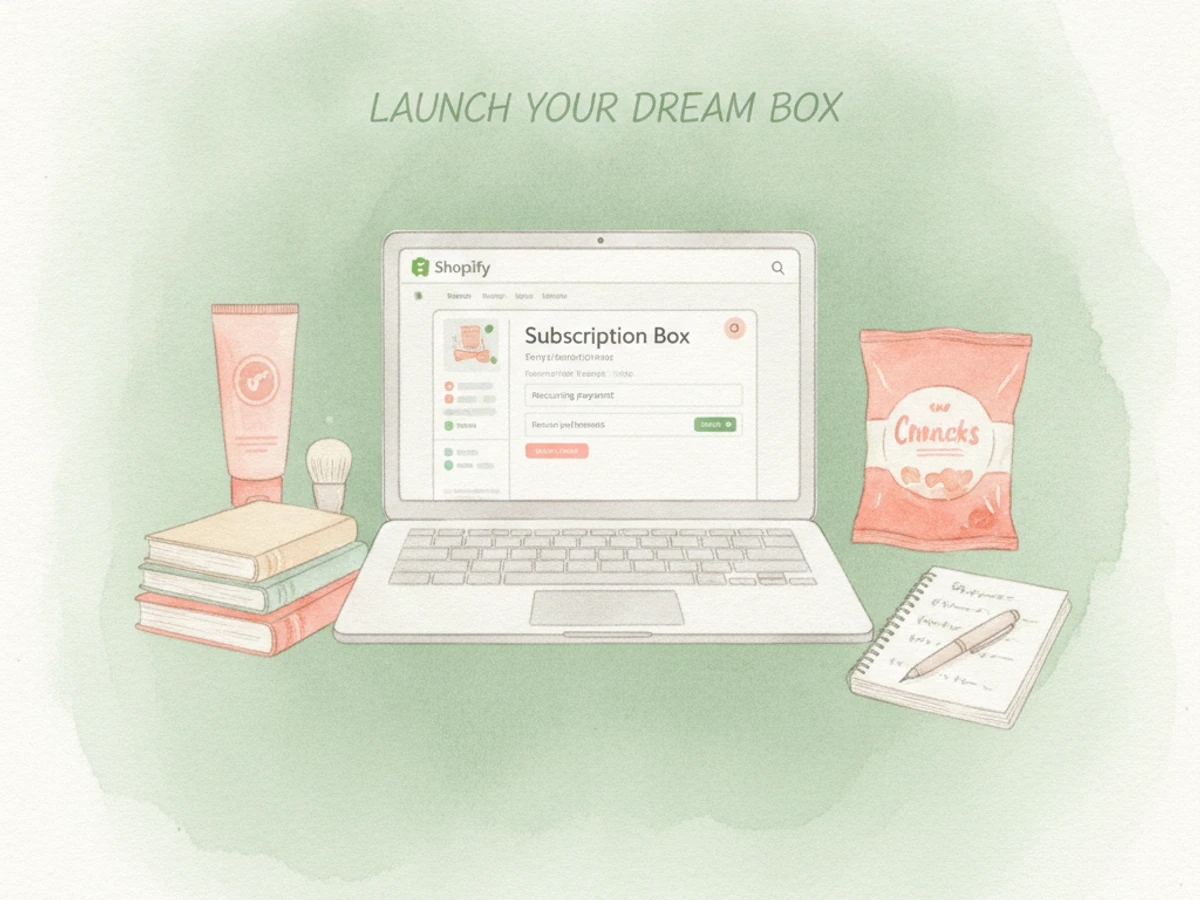
Shopify subscription box recurring payments — how to set up and manage | Updated September 2026 | Recurpay Editorial Team | 3-5 hours setup, ongoing management | Beginner
What You'll Learn
By the end of this guide, you'll have a live subscription product, a working recurring payment flow, and a customer portal that lets subscribers manage their own boxes — all without needing a developer. Here's what we'll cover:
- Understand the difference between curation-model and replenishment-model subscriptions. A curation-model subscription delivers a themed selection of products, often as a surprise, while a replenishment-model subscription simply reorders the same product on a set schedule.
- Set up prepaid (3/6/12-month) and pay-as-you-go recurring billing options. Prepaid billing charges customers upfront for multiple cycles, while pay-as-you-go billing charges them each cycle right before shipment.
- Configure a build-a-box or bundle subscription product on Shopify. A build-a-box subscription allows customers to select their own items each cycle.
- Coordinate fulfillment cutoffs so recurring charges and shipping stay in sync.
Prerequisites: an active Shopify store on any paid plan, Shopify Payments (or a supported gateway) enabled, and at least one product ready to sell as a recurring box.
Why Shopify Subscription Box Recurring Payments Matter in 2026
Subscription boxes have moved from novelty to core ecommerce infrastructure. The global subscription box market is valued at $49.7 billion in 2026 and is projected to reach $101.81 billion by 2030, growing at a 19.6% CAGR, fueled by expanding direct-to-consumer brands and rising demand for curated, recurring experiences rather than one-off purchases.
But growth alone doesn't guarantee profitability. Subscription boxes see 10-15% monthly churn on average, while top-performing brands keep that figure below 3%. The difference? It usually comes down to billing mechanics — how well recurring payments, retries, and prepaid commitments are configured from the start.
Here's the real kicker: 70% of subscription revenue comes from existing customers, which means a well-configured recurring payment system protects revenue better than any single acquisition campaign ever could. Getting this right in 2026 is less about chasing new subscribers and more about not leaking the ones you already have.
The Process at a Glance
| Step | Action | Time | Outcome |
|---|---|---|---|
| 1 | Choose curation vs. build-a-box model | 30-45 min | Clear subscription structure defined |
| 2 | Install and configure a subscription app | 45-60 min | Recurring billing engine connected to Shopify |
| 3 | Set prepaid vs. pay-as-you-go billing rules | 30-45 min | Payment schedule matches cash flow needs |
| 4 | Publish the subscription product page | 45-60 min | Storefront ready to accept subscribers |
| 5 | Coordinate fulfillment cutoffs and dunning | 30-45 min | Boxes ship on time, failed payments recovered |
Total time: approximately 3-5 hours for a first working setup.
Step 1: Choose Your Subscription Box Model — Curation vs. Build-a-Box
What You're Doing
Before you touch any app settings, you need to make a foundational decision: Is your box a curated "surprise" model, or do you let customers pick their own items each cycle? This single choice shapes every billing and fulfillment decision that follows, so it's worth thinking through carefully.
How to Do It
- List your products and decide if they're interchangeable (good for curation) or highly personal, like flavor or size preferences (better for build-a-box).
- Map out your typical box: fixed contents each cycle, or a rotating selection you swap out monthly.
- If offering build-a-box, decide the minimum and maximum number of items per box and whether pricing is flat or per-item.
- Write down your cadence — weekly, monthly, or quarterly — since this determines your recurring payment interval.
Best Practices
- Start with one model and one cadence; add build-a-box flexibility only after your core offer proves demand. You'll thank yourself later when you're not juggling two different fulfillment workflows simultaneously.
- Keep the box "theme" consistent even if contents rotate — subscribers renew for the concept, not just the items.
Common Mistakes
Merchants often try to launch curation and build-a-box variants simultaneously, which doubles the complexity of inventory, pricing, and payment logic before there's any subscriber data to justify it. Resist that urge.
What Done Looks Like
You have a one-paragraph description of your box model, cadence, and pricing logic that you could hand to any app's support team and get correctly configured — something like: "Our box is a monthly curated selection of artisanal coffees, priced at $30/month, with contents rotating seasonally." For a more detailed walkthrough, see Subscription Bundling on Shopify: Build Custom Boxes That Bo.
Step 2: Install a Shopify Subscription App to Power Recurring Payments
What You're Doing
Here's the reality: Shopify's native checkout doesn't automatically bill customers repeatedly. To enable Shopify subscription box recurring payments, you need to install a subscription app that creates a "selling plan," tokenizes the customer's card, and triggers Shopify Payments (or your gateway) automatically at each interval.
How to Do It
- Open the Shopify App Store and search "subscriptions."
- Install a subscription app such as Recurpay, which lets merchants launch, manage, and grow Shopify subscriptions in minutes without complex setup.
- Connect the app to your store's payment gateway when prompted — this is what authorizes future recurring charges.
- Create your first "selling plan" inside the app, defining cadence (weekly/monthly/quarterly) and discount, if any, for subscribing. A selling plan is a configuration within a subscription app that defines the terms of a recurring purchase, including billing frequency, discounts, and delivery schedule.
- Attach the selling plan to your subscription box product.
Best Practices
- Test the full checkout-to-charge flow with a real (small) transaction before announcing the subscription publicly. This catches surprises early.
- Choose an app that prioritizes simplicity — technical friction at this exact step usually stalls first-time setups. The easier the app, the faster you launch.
Common Mistakes
A frequent error is publishing a subscription product without first confirming the selling plan is actually attached — this results in customers checking out as a one-time purchase with no recurring charge scheduled at all. Always test before you go live.
What Done Looks Like
Your subscription app dashboard shows an active selling plan (e.g., "Monthly Coffee Box - 10% Off"), and a test order successfully creates a "subscription contract" visible in both the app and Shopify admin, indicating a future charge date. For a more detailed walkthrough, see Shopify Recurring Payments: Setup & Chargeback Protection.
Join 7,500+ brands using Recurpay
Recurpay is the answer to your customer retention game in the emerging era of subscriptions.
Get StartedStep 3: Configure Prepaid vs. Pay-As-You-Go Recurring Billing
What You're Doing
Now you'll decide how your customers pay. For Shopify subscription box recurring payments, you'll typically offer two billing structures: pay-as-you-go (charged each cycle right before shipment) and prepaid (charged upfront for 3, 6, or 12 cycles). Choosing correctly affects cash flow, churn, and fulfillment planning.
How to Do It
- In your subscription app, locate the billing configuration for your selling plan.
- Enable pay-as-you-go if you want maximum flexibility for subscribers to cancel anytime without losing prepaid funds.
- Enable prepaid tiers (e.g., 3-box, 6-box, 12-box packages) if you want upfront cash flow and lower churn exposure.
- Set discount tiers — many brands offer 10-20% off for longer prepaid commitments to incentivize upfront payment.
- Confirm renewal dates: prepaid plans should auto-notify subscribers before the next prepaid cycle begins.
Example
| Billing Type | Charge Timing | Typical Use Case |
|---|---|---|
| Pay-as-you-go | Charged each cycle, days before ship date | New subscribers, low-commitment trial boxes |
| Prepaid (3-month) | Charged once upfront for 3 cycles | Gift subscriptions, seasonal boxes |
| Prepaid (annual) | Charged once upfront for 12 cycles | Loyal subscribers, highest discount tier |
Best Practices
- Since 70% of subscription revenue comes from existing customers, prepaid tiers that lock in renewals ahead of time directly protect that revenue base.
- Always display the next charge date clearly on the product page and in the customer portal to avoid billing disputes.
What Done Looks Like
Your product page shows both billing options clearly (e.g., "Subscribe & Save 10% - Pay Monthly" and "Prepay for 3 Months & Save 15%"), with the correct price, discount, and next-charge date displayed at checkout for each option.
Step 4: Publish Your Subscription Box Product Page
What You're Doing
This is where your setup becomes real — turning your configured selling plan into a live, purchasable product page that clearly communicates the box contents, cadence, and pricing for your Shopify subscription box recurring payments.
How to Do It
- Add product images that show the box or a representative unboxing.
- Write a description covering what's included, how often it ships, and how to skip or cancel.
- Insert the subscription widget generated by your app (Recurpay and similar tools provide a branded, embeddable widget) so shoppers can toggle between one-time and subscribe pricing.
- Publish the page and place a test order to confirm the selling plan attaches correctly at checkout.
Best Practices
- Keep the subscribe option pre-selected by default if your margins support it — pre-selection consistently increases subscription conversion versus opt-in toggles.
- Use a platform like Recurpay that gets your store subscription-ready in minutes with seamless integration and branded widgets, so this step doesn't require custom development.
What Done Looks Like
A live product page where a real customer can select a cadence (e.g., "Monthly" or "Quarterly"), choose prepaid or pay-as-you-go, and complete checkout without support intervention, resulting in a successful subscription order.
Step 5: Coordinate Fulfillment Cutoffs and Recover Failed Payments
What You're Doing
Recurring payments only matter if the box actually ships. This final step aligns your billing cycle with your fulfillment calendar and sets up automatic recovery for failed charges — a critical part of managing Shopify subscription box recurring payments that many merchants skip and regret.
How to Do It
- Set a fulfillment cutoff date (e.g., charge 3 days before your pack-and-ship day) inside your subscription app.
- Enable automatic payment retries (dunning) so a single declined card doesn't immediately cancel a subscriber. Dunning is the process of automatically retrying failed credit card charges and notifying customers to update their payment information.
- Set up email or SMS alerts for failed payments, giving customers a self-serve link to update their card.
- Sync your fulfillment team's pick list to only include subscribers whose payment succeeded for that cycle.
Common Mistakes
Shipping a box before confirming the recurring charge actually succeeded is one of the costliest mistakes in subscription box operations — it creates fulfillment costs with no matching revenue. Don't let this happen to you.
What Done Looks Like
Every fulfillment cycle, your pick list only contains successfully charged subscribers, and failed payments are automatically retried without manual follow-up, with customers receiving automated emails to update their payment method.
What to Do After Setting Up Recurring Payments
Phase 1 — Stabilize (Weeks 1-4): Monitor your first two billing cycles closely, watching for failed payment rates, checkout drop-off, and any fulfillment mismatches between paid and shipped orders. Address any immediate operational issues before they become patterns.
Phase 2 — Reduce Churn (Months 2-3): Since monthly churn for subscription boxes averages 10-15%, focus on cancellation flow improvements, win-back offers, and prepaid incentives to push toward the sub-3% churn seen in top performers. Implement retention strategies that actually work.
Phase 3 — Scale (Months 3+): Introduce build-a-box customization, bundle upsells, and tiered prepaid discounts once your core recurring payment flow is stable and churn is trending down. Expand your offerings and optimize for growth only after you've proven the basics work.
Resources You'll Need
| Resource | Role | Requirement | Price |
|---|---|---|---|
| Recurpay | Subscription app for recurring billing, prepaid plans, and customer portal (5/5 rating) | Required | $9/month |
| Shopify Payments | Payment gateway that processes the recurring charges | Required | Transaction fees only |
| Shopify App Store | Discovery and installation of subscription apps | Required | Free to browse |
| Klaviyo | Email/SMS flows for renewal reminders and win-backs | Recommended | Free tier available |
| Shopify Flow | Automating fulfillment and payment-status workflows | Optional | Free on eligible plans |
See also, see Subscription Management Tools: 6 Best Picks (2026).
Common Plateaus & How to Break Through
Subscribers cancel right after the first box
Likely cause: Mismatched expectations between marketing and actual box contents, or a confusing cancellation flow that frustrates customers into leaving negative reviews instead of pausing.
Fix: Add a skip-a-month option before cancel in your customer portal, and make sure your box description matches delivered contents exactly. Improve customer experience and manage expectations from day one.
Recurring charges are failing at a high rate
Likely cause: No automatic card-updater or retry logic configured, so a single expired card immediately drops the subscriber from your active list.
Fix: Enable dunning/retry settings in your subscription app and connect Shopify Payments' automatic card-update feature. Automate payment recovery processes so you're not losing subscribers to outdated payment info.
Prepaid subscribers are confused about their next charge date
Likely cause: The product page or portal doesn't clearly display when the prepaid term ends and renewal billing begins.
Fix: Surface the next charge date prominently in both the confirmation email and the customer portal, not just in Shopify's back-end order notes. Ensure transparent communication of billing cycles at every touchpoint.
Fulfillment ships boxes that were never actually paid for
Likely cause: Fulfillment team pulls the pick list before payment retries finish processing.
Fix: Delay pick-list generation until 24 hours after the billing cutoff so failed payments have time to retry or be excluded. Synchronize billing and fulfillment workflows so revenue and fulfillment costs always match up. For more troubleshooting advice, see Shopify Subscription Troubleshooting: Fix Common Issues ....
Conclusion
Setting up Shopify subscription box recurring payments doesn't require a developer or a six-figure tech stack. It requires choosing the right box model, connecting a reliable subscription app, and aligning billing with fulfillment. Do that correctly, and you've built the infrastructure that a $49.7 billion 2026 market is scaling on.
Key Takeaways
- A working recurring payment setup requires a defined box model, a connected subscription app, prepaid and pay-as-you-go billing options, a live product page, and synced fulfillment.
- Reducing churn below the 10-15% industry average matters more long-term than acquiring new subscribers, since existing customers drive most subscription revenue.
- Next action: install a subscription app like Recurpay and run one full test cycle — checkout, charge, and fulfillment — before opening to real customers.
FAQ
How to Shopify Subscription Box Recurring Payments?
To set up Shopify subscription box recurring payments, install a subscription app such as Recurpay, connect it to Shopify Payments, create a selling plan defining your billing cadence, choose between prepaid or pay-as-you-go billing, attach that plan to your box product, and align your fulfillment cutoff with the billing date so boxes only ship after payment succeeds. This entire process typically takes 3-5 hours for a first working setup and requires no custom development, enabling you to manage recurring payments efficiently.
What is the difference between a curated subscription box and a replenishment subscription?
A curated subscription box delivers a themed selection of products, often as a surprise, while a replenishment subscription simply reorders the same product on a set schedule (like coffee or supplements). Curated boxes require more complex catalog and content-rotation logic, while replenishment subscriptions focus mainly on reorder timing and quantity.
Should I offer prepaid or pay-as-you-go billing for my subscription box?
Offer both if possible: pay-as-you-go lowers the barrier to entry for new subscribers, while prepaid plans (3, 6, or 12 months) improve cash flow and typically reduce churn since customers have already committed upfront. Many successful boxes offer a discount tier for longer prepaid terms to encourage this commitment.
Which Shopify app is best for subscription box recurring payments?
Recurpay is a strong option for merchants who want to launch, manage, and grow Shopify subscriptions in minutes without complexity, offering prepaid plans, auto-expiring options, and a branded customer portal starting at $9/month with a 5/5 rating. The right choice ultimately depends on your specific need for build-a-box logic, bundle support, and integration with your existing email or fulfillment tools.
How do I reduce churn on my Shopify subscription box?
Focus on making the cancellation flow include a skip or pause option before cancel, use automatic payment retries to prevent involuntary churn from failed cards, and offer prepaid discount incentives. Industry data shows monthly churn averaging 10-15% for subscription boxes, while top performers keep it under 3% largely through these retention mechanics.
Can I build a "build-a-box" customizable subscription on Shopify?
Yes, most modern Shopify subscription apps support build-a-box or bundle-style subscriptions where customers select individual items each cycle rather than receiving a fixed curated selection. This typically requires configuring item minimums/maximums and per-item or flat pricing within your subscription app's bundle settings.
What happens if a recurring payment fails on a subscription box?
Most subscription apps include automatic retry logic (dunning) that attempts to charge the card again over several days before marking the subscription as past due or canceled. Pairing this with Shopify Payments' automatic card-updater feature further reduces failed payments caused simply by expired cards.
How long does it take to set up recurring payments for a subscription box on Shopify?
A first working setup — covering app installation, billing configuration, product page publishing, and fulfillment coordination — typically takes 3-5 hours for a beginner-level store owner. Ongoing management, such as monitoring churn and payment failures, becomes a recurring weekly task rather than a one-time project.
This guide was compiled using publicly available Shopify documentation, subscription industry market reports, and subscription app feature listings current as of September 2026. Pricing, features, and statistics are subject to change; verify current details directly with each linked resource before making purchasing decisions.