
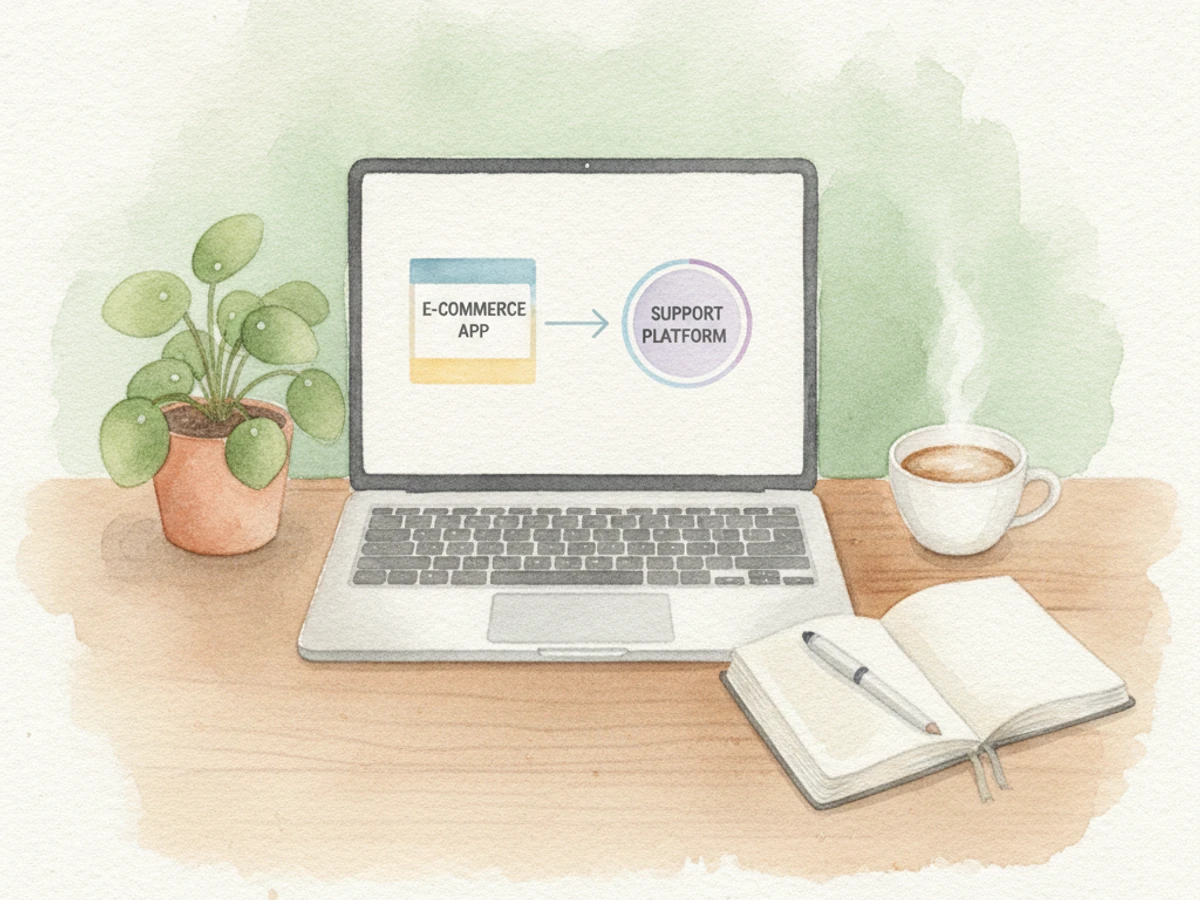
connect a Shopify subscription app with Gorgias for customer support | September 23, 2026 | Recurpay Team | 45-60 minutes | Beginner
What You'll Learn
By the end of this guide, you'll know how to:
- Spot the difference between a native Gorgias app integration and a manual HTTP Integration setup, so you can pick the fastest path for your subscription app.
- Get your Shopify store connected to Gorgias, a customer support helpdesk, and watch order and customer data flow into your tickets automatically.
- Link your subscription app, such as Recurpay, so your agents see subscriber status, plan details, and next billing date right in the ticket sidebar without switching tabs.
- Create macros and rules that let your team handle skip, pause, cancel, and swap requests in minutes instead of hours.
The result: your team can view and manage subscriber data, pause or edit plans, and resolve billing questions without leaving the helpdesk.
Prerequisites: An active Shopify store, a Gorgias account (new or existing), and admin access to your subscription app's settings or API keys. For related guidance, see From Subi To Recurpay How Silver Oak Coffee In The Uk Migrated To A Scalable Shopify Subscription System.
Why Connecting a Subscription App to Gorgias Matters in 2026
Subscription commerce is booming, and so is the support workload. Your team is now fielding skipped orders, payment failures, plan swaps, and cancellation requests every single day. When Gorgias documented a fashion retailer using deep Shopify data integration within its helpdesk, the numbers spoke for themselves: a 40% increase in efficiency, an 80% decrease in resolution time, and a 95% decrease in first response time.
Subscription-specific integrations show even starker gains. Gorgias's own documentation notes that pairing a subscription platform with the helpdesk can reduce subscription ticket resolution time by 40%. Why? Because your agents stop logging into separate dashboards to check plan status. Everything they need sits in one sidebar.
Most integration roundups highlight only the big subscription platforms. CloudTalk's list of 26 Gorgias integrations for 2026 is no exception. This leaves merchants using lighter, more affordable stacks like Recurpay, a Shopify subscription app, in a bind: you need the same ticket-side visibility into subscriber data, but you don't want to pay enterprise-tier costs for it. The good news is you can build it yourself in under an hour. For supporting data, see Gorgias: AI, Helpdesk & Chat - Instantly resolve support ....
The Process at a Glance
| Step | Action | Time | Outcome |
|---|---|---|---|
| 1 | Prepare your Shopify, subscription app, and Gorgias accounts | 10 min | Admin access and API keys ready |
| 2 | Connect Shopify to Gorgias via the App Store | 10 min | Orders and customers sync into tickets |
| 3 | Link the subscription app to Gorgias | 15-20 min | Subscriber data appears in ticket sidebar |
| 4 | Test the connection with a live ticket | 10 min | Confirmed data accuracy in real ticket |
| 5 | Build macros and rules for subscription tickets | 15 min | Faster, consistent agent responses |
Total time: roughly 45-65 minutes for a first-time setup, depending on whether your subscription app has a native Gorgias listing or requires a manual HTTP Integration.
Step 1: Prepare Your Shopify, Subscription App, and Gorgias Accounts
The fastest way to avoid setup delays is to gather all your credentials and access points upfront. Let's make sure you have everything ready before you start connecting anything.
What You're Doing
You're collecting the keys to the kingdom: admin access to your store, your helpdesk subdomain, and your subscription app's API credentials. Having these open and handy prevents you from getting stuck mid-setup hunting for a password or API key.
How to Do It
- Confirm you have store owner or staff-level admin access to your Shopify admin, which is your e-commerce store's backend.
- Log into or create a Gorgias account, a customer support helpdesk, and note your Gorgias subdomain (you'll need it when Shopify asks where to send your data).
- If you're using Recurpay, a Shopify subscription app, open its dashboard and find the app settings or integrations area where API access or a partner integration option lives.
- Head to the Gorgias App Store and search for your subscription app. If a native listing exists, note whether it needs a read-only API key or read-and-write permissions.
Best Practices
Set up a test customer account with an active subscription and an email inbox you control. You'll use this in Step 4 to verify everything works. Also, third-party integration pricing varies by app, so confirm costs before you commit engineering time.
What Done Looks Like
You have Shopify admin access, a Gorgias login and subdomain, and your subscription app's API credentials or partner-integration link open in separate tabs, ready to move forward. For a more detailed walkthrough, see Connect a store to Gorgias: Shopify.
Step 2: Connect Shopify to Gorgias
This is the foundation. Once Shopify and Gorgias are talking, every ticket will show you who the customer is and what they've bought. The subscription data comes next, but this base connection is non-negotiable.
What You're Doing
You're establishing the core link between your store and helpdesk so customer profiles and order history pop up automatically in every ticket. Your subscription integration will layer on top of this, adding plan details.
How to Do It
- In Gorgias, go to Settings, then App Store, then All Apps, and select Shopify and click Add Shopify.
- You'll be redirected to the Shopify App Store; follow the prompts to install the Gorgias app on your Shopify store.
- Shopify will ask you to authorize the permissions Gorgias needs to access your store data. Approve them.
- After approving, Shopify redirects you back to Gorgias, which then begins importing your customer profiles and order history in the background.
Common Mistakes
Don't close the browser tab mid-import. On larger catalogs, the initial sync can take a while, and interrupting it leaves partial order data in tickets. Let it run.
What Done Looks Like
Open any existing ticket and you'll see a Shopify sidebar with the customer's name, order history, and order status without needing to switch tabs or open another window.
Step 3: Connect a Shopify Subscription App With Gorgias for Customer Support
This is where the magic happens. Your agents are about to see plan status, billing dates, and pause/cancel history without ever leaving Gorgias. This step is the difference between a helpdesk and a helpdesk that actually understands subscriptions.
What You're Doing
You're piping your subscription app's data, such as plan status, next billing date, and product frequency, directly into the Gorgias ticket sidebar. Agents get answers without opening a separate subscription dashboard.
How to Do It
- Check for a native listing first. Search the Gorgias App Store for your subscription app. Some apps offer a guided setup; for example, one subscription app's setup is simply Settings, then App Integration, then Gorgias, then Next, and you're done.
- If no native listing exists, use an HTTP Integration. An HTTP Integration is a custom connection that lets Gorgias fetch data from an external API. In Gorgias, click the Settings gear icon, then App Store, then HTTP Integration.
- Click the Manage tab, then the Add HTTP Integration button.
- Name the integration something clear, such as "Recurpay Subscription Info," and set the triggers to Tickets created and Tickets updated.
- Enter the subscription app's API endpoint URL, using the customer email variable so Gorgias queries the right subscriber record, and set the response content type to application/json, then save changes.
Example
| Connection Type | Setup Effort | Best For |
|---|---|---|
| Native App Store listing | Low (guided click-through) | Apps with an existing Gorgias partner integration |
| HTTP Integration (manual) | Moderate (needs API key and endpoint) | Lightweight or newer subscription apps like Recurpay |
Best Practices
Recurpay is built on the belief that subscription revenue should be accessible, fast, and hassle-free for all Shopify merchants. That's why its API-based approach to helpdesk connections keeps setup simple even without a pre-built Gorgias listing. If you're comparing subscription platforms because they lack helpdesk visibility, remember you can get your Shopify store subscription-ready in minutes with Recurpay's simple yet powerful platform, enjoying seamless integration, easy migration, and robust analytics to track growth without unnecessary complexity or hidden fees.
Key Takeaway: You can connect a Shopify subscription app with Gorgias for customer support either through a native App Store listing for guided setup or via a manual HTTP Integration for apps like Recurpay, which provides flexibility for various subscription platforms.
What Done Looks Like
Open a ticket from a subscriber and you'll see a sidebar widget with their plan name, status (active, paused, cancelled), and next order date pulled straight from the subscription app.
Join 7,500+ brands using Recurpay
Recurpay is the answer to your customer retention game in the emerging era of subscriptions.
Get StartedStep 4: Test the Connection With a Live Ticket
Before your team starts relying on this data, you need to verify it's actually working. A misconfigured API call or a test customer with no active subscription will make a perfectly good integration look broken. Let's get it right the first time.
What You're Doing
Verifying the integration before rolling it out to your team catches misconfigured API calls or missing fields early, preventing agents from giving customers wrong information.
How to Do It
- From the Gorgias home screen, click Create Ticket and enter the email address of a test customer with an active subscription in your store.
- Reply to the Gorgias ticket message from the associated test email account so the ticket registers as a real conversation.
- Go back to Settings, then HTTP Integration, then Manage, and click on your subscription integration.
- Click Events to view the details of the API call that fired, and confirm the returned data matches your test customer's actual subscription details.
Common Mistakes
Testing with a customer who has no active subscription is the most common error here. It returns an empty payload and makes a correctly configured integration look broken. Always use a test customer with a confirmed active subscription.
What Done Looks Like
The event log shows a successful API call with the correct plan name, status, and billing date, and that same data renders correctly in the ticket sidebar.
Step 5: Build Macros and Rules for Subscription Tickets
Now that your agents can see subscriber data, it's time to give them the tools to act on it fast. Macros and rules turn that visibility into quick, consistent responses for the requests you see every single day.
What You're Doing
Raw data in a sidebar only helps if agents can act on it instantly. Macros and rules turn that visibility into faster, more consistent replies for the most common subscription requests.
How to Do It
- Identify your top 3-5 recurring subscription ticket types, such as skip an order, change frequency, update payment, or cancel.
- In Gorgias, create a macro template for each. A macro is a pre-written response or action sequence. Reference the subscription variables now available from your integration, like plan name, next date, or status.
- Set up rules to tag or route tickets automatically when subscription-related keywords appear in the subject or body. Rules are automated actions triggered by specific conditions.
- If you use Gorgias's AI Agent, an artificial intelligence tool for automating support, review its automation settings. Gorgias's own benchmarking shows the AI Agent can automate roughly 60% of email and chat volume for tasks including subscription edits. Note that older autoresponder rules are being retired in favor of AI Agent as the supported automation path.
What Done Looks Like
An agent can resolve a "please pause my subscription" ticket in under a minute using a macro and the sidebar data, without opening a separate subscription dashboard.
What to Do After Connecting Your Subscription App
Phase 1 (Week 1): Monitor your first 20-30 subscription tickets closely to confirm the sidebar data stays accurate and macros are being used correctly by the team.
Phase 2 (Weeks 2-4): Expand automation coverage. Add rules for edge cases like failed payments or reactivation requests, and review Gorgias's revenue statistics to see which agents or channels convert subscription saves best.
Phase 3 (Month 2+): Audit ticket volume trends by category. If subscription-related tickets remain high despite fast resolution, treat that as a signal to review your subscription app's self-service options in the customer-facing portal, reducing the need for tickets in the first place.
Resources You'll Need
| Resource | Role | Requirement | Price |
|---|---|---|---|
| Recurpay | Shopify subscription app providing subscriber and billing data | Required (or your chosen subscription app) | $9/month, rated 5/5 |
| Gorgias | Customer support helpdesk receiving subscription data | Required | Paid plans, varies by ticket volume |
| Gorgias App Store | Directory to check for native subscription app listings | Recommended | Free to browse |
| Shopify Admin | Store platform hosting your subscription app and Gorgias app | Required | Existing Shopify plan |
| Zapier | Bridge for connecting apps without a native or HTTP integration path | Optional | Free tier available |
Common Plateaus and How to Break Through
Sidebar widget shows no subscription data
Likely cause: The HTTP Integration's API endpoint URL is missing the correct customer email variable, or the test customer has no active subscription.
Fix: Re-check the endpoint URL syntax and test again with a customer who has a confirmed active subscription in your app.
Integration works but data is delayed or stale
Likely cause: The trigger settings only fire on ticket creation, not on ticket updates.
Fix: Confirm both "Tickets created" and "Tickets updated" triggers are enabled in the HTTP Integration settings.
Agents ignore the sidebar and still switch tabs
Likely cause: Lack of training or macros that reference the new data fields.
Fix: Run a short team walkthrough and update macros to explicitly pull from the subscription sidebar fields.
Shopify order data appears but subscription-specific fields don't
Likely cause: The native Shopify-Gorgias connection only syncs order and customer records, not subscription plan metadata, which requires the separate subscription app integration from Step 3.
Fix: Confirm Step 3's HTTP Integration or native listing is active and separate from the base Shopify connection. For more troubleshooting advice, see 11 Shopify Live Chat Support Mistakes to Avoid at All Costs.
Conclusion
To connect a Shopify subscription app with Gorgias for customer support, follow five straightforward steps: preparing your accounts, linking Shopify natively, connecting the subscription app via a native listing or HTTP Integration, testing with a live ticket, and building macros so agents can act on the data instantly.
Key Takeaways
- A working setup means subscriber plan status, billing date, and history appear directly inside every Gorgias ticket, eliminating the need for tab-switching.
- Apps without a pre-built Gorgias listing, including lighter-weight platforms like Recurpay, can still connect fully using Gorgias's HTTP Integration and a customer-email-based API call.
- Your next action should be testing the connection with a real subscriber account before rolling macros out to your full support team.
FAQ
How do I connect a Shopify subscription app with Gorgias for customer support?
To connect a Shopify subscription app with Gorgias for customer support, first link your Shopify store to Gorgias using the native app found in the Gorgias App Store. Next, either install your subscription app's native Gorgias listing, if available, or set up a custom HTTP Integration using your subscription app's API key and the customer email variable. Once connected, test the setup with a live ticket from a subscriber to verify data accuracy before rolling it out to your support team, following the detailed steps in this 2026 guide.
Does Recurpay have a native Gorgias integration?
Recurpay connects to Gorgias through Gorgias's HTTP Integration feature. This allows Recurpay's API to feed subscriber data, such as plan status and next billing date, into the ticket sidebar using the customer's email address, without needing a pre-built app-store listing.
Do I need coding skills to set up the HTTP Integration in Gorgias?
No coding is required. You will need an API endpoint URL and, in most cases, an API key from your subscription app. You simply paste these into Gorgias's HTTP Integration form along with trigger settings for ticket creation and updates, making the process accessible for non-developers.
How long does it take to connect a subscription app to Gorgias?
Most merchants complete the full process, including testing, in approximately 45 to 65 minutes. The exact timing depends on whether your subscription app has a native listing, which is generally faster, or requires a manual HTTP Integration, which takes slightly longer.
What data actually appears in the Gorgias ticket sidebar after connecting a subscription app?
Typically, you will see the subscriber's plan name or product, subscription status (active, paused, or cancelled), and next billing or order date. All this information is pulled live from the subscription app whenever a ticket is created or updated, providing agents with real-time data.
Can I use Gorgias's AI Agent to handle subscription tickets automatically?
Yes, Gorgias's AI Agent can handle subscription edits, along with order tracking and returns, using live store data. Current benchmarks suggest it can automate a significant share of routine email and chat tickets when configured with the right rules, enhancing efficiency for subscription-related queries.
What if my subscription app isn't listed in the Gorgias App Store?
If your subscription app isn't listed, use the HTTP Integration option inside Gorgias's settings. This feature works with any app that exposes a customer-lookup API endpoint, making it a reliable fallback for newer or lower-cost subscription platforms to still connect and share data.
Is Recurpay a good fit for Shopify brands that also use Gorgias?
Recurpay is priced at $9/month and rated 5/5. Its focus on quick setup and low complexity makes it a practical option for brands that want subscription revenue features without the overhead of enterprise subscription platforms, while still keeping subscriber data connected to their Gorgias helpdesk through an HTTP Integration.
This guide was compiled using publicly available Gorgias documentation, third-party integration guides, and vendor-published data current as of September 2026. Exact menu labels and API steps may vary slightly depending on your Gorgias plan and your subscription app's version; always confirm field names against your own account before going live.